
Download Virtual Keyboard – virtual keyboard, keyboard layouts, multilingual typing, mouse input, font customization, text editor integration, copy paste, language support, typing tool, productivity app, Android app, free keyboard
Overview
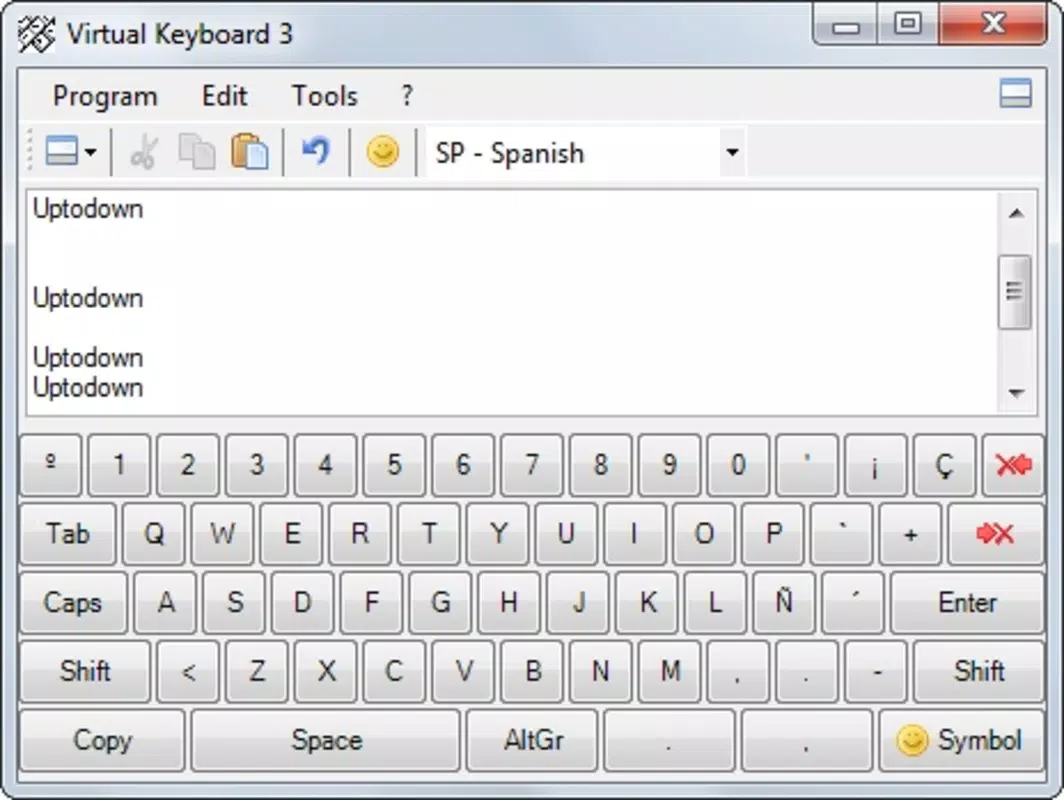
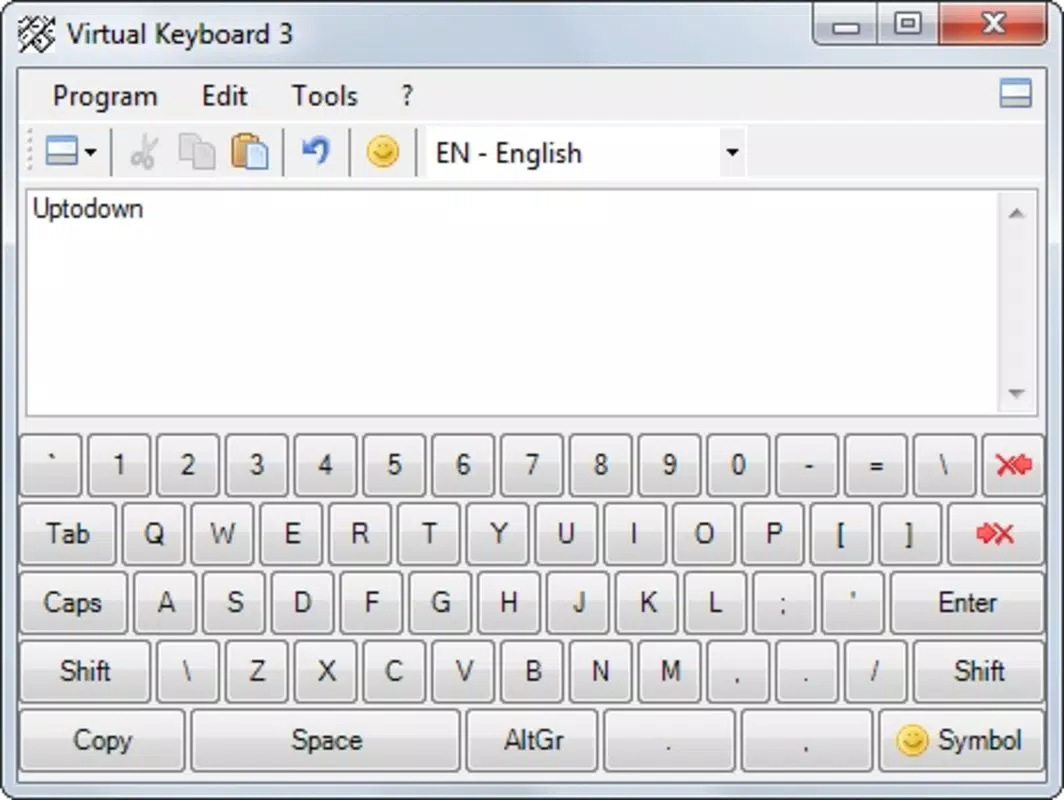
Virtual Keyboard is a productivity-focused mobile application designed to enhance text input capabilities on Android devices. The app enables users to type using both physical keyboard and mouse inputs, offering a unique alternative to standard touchscreen keyboards. With support for over seventy keyboard layouts and multiple languages, it serves as a specialized tool for users who require access to specific characters, symbols, or non-Latin scripts.
This makes it particularly useful for multilingual communication, academic work, programming, or content creation involving diverse linguistic systems. The app’s primary purpose is to bridge the gap between traditional keyboard input and mobile device limitations, allowing for more precise and flexible text entry. While the developer did not provide additional background on the team or company, the app has been available since 2011, indicating a long-standing presence in the Android ecosystem.
Its continued availability suggests a stable, niche utility for users with specific typing needs. Real-world use cases include language students practicing foreign scripts, writers working across multiple languages, and professionals requiring special characters for technical or creative writing. Despite its age, Virtual Keyboard remains relevant as a lightweight, functional tool in a market dominated by touch-based input methods.
Key Features & Functionality
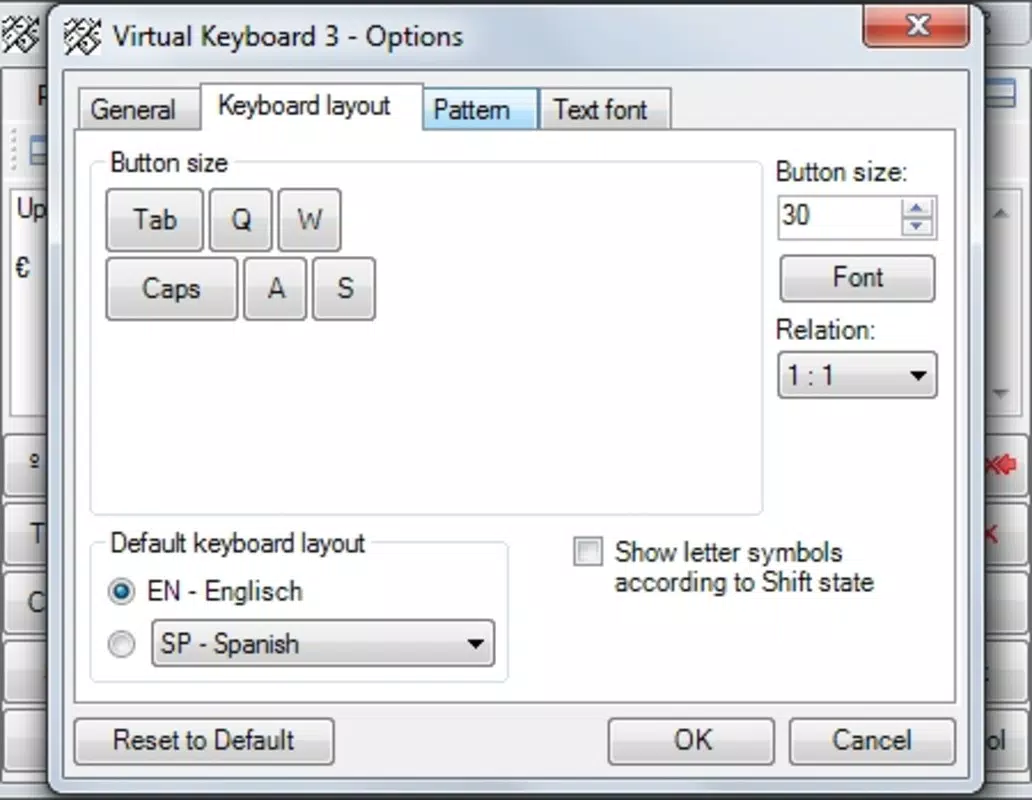
- Extensive Keyboard Layout Support: The app supports over seventy keyboard layouts from around the world, enabling users to access a wide range of characters and symbols used in different languages. This feature is ideal for users working with scripts such as Cyrillic, Greek, Arabic, or Devanagari, where standard keyboards may lack necessary keys.
- Mouse and Keyboard Input Flexibility: Users can type either through a connected physical keyboard or by clicking on virtual keys with a mouse. This dual-input method is especially beneficial when using Android devices with external peripherals, such as tablets with keyboard docks or desktop-like setups.
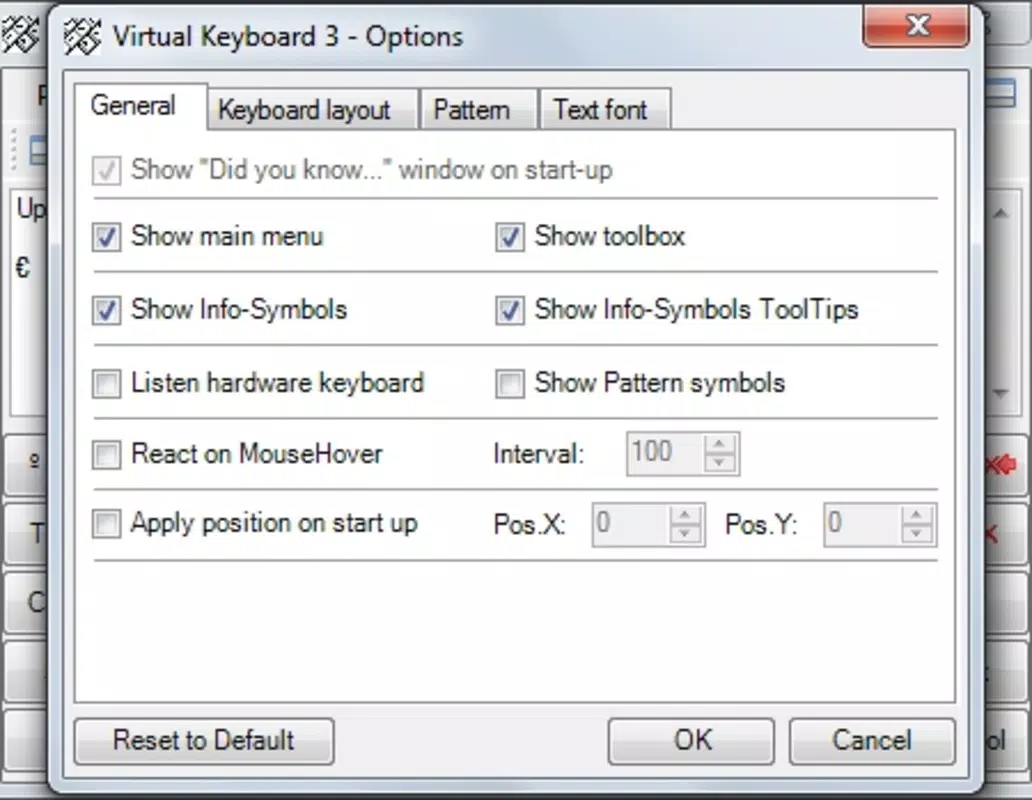
- Font Customization Options: The app allows users to change the font style of the displayed text, providing a basic level of personalization. While not a core feature, this adds a subtle layer of user control over the visual output of typed content.
- Seamless Copy and Paste Integration: After typing, users can easily copy the generated text and paste it into other applications, including email clients, word processors, and code editors. This functionality ensures smooth workflow continuity without requiring the user to retype or switch contexts.
These features collectively address the need for precise, multilingual text entry on mobile platforms. For example, a linguist studying ancient scripts could use the app to type rare symbols not available on standard keyboards. A content creator writing in multiple languages might use it to switch layouts quickly and copy final text into a publishing tool. The app’s focus on functionality over aesthetics makes it a practical solution for users who prioritize accuracy and flexibility over visual polish.
Interface, UX & Performance
The user interface of Virtual Keyboard is designed with functionality in mind, prioritizing accessibility and ease of navigation. The layout presents a grid of virtual keys, organized according to selected keyboard layouts, allowing users to locate and press characters with minimal effort. Visual feedback is provided through key highlights upon press, improving usability during typing.
Navigation between layouts is straightforward, typically involving a selection menu or toggle system, though specific details were not provided. The app’s performance appears stable, with no reported issues related to lag or crashes. Although the developer did not list formal performance metrics, the lightweight file size of 1.4 MB suggests efficient resource usage, which is beneficial for older or low-end Android devices.
Responsiveness is expected to be consistent across various screen sizes and input methods, given the app’s reliance on standard Android input frameworks. The app does not require complex permissions beyond basic input access, which contributes to its security and reliability. Users can expect smooth operation during extended typing sessions, especially when used with external keyboards or mice.
Overall, the user experience is optimized for practicality rather than visual appeal, making it suitable for users who value efficiency over flashy design.
Platform Compatibility & Technical Requirements
Virtual Keyboard is available exclusively on the Android platform. The current version is 1.0.2, with a file size of 1.4 MB, making it a lightweight application ideal for devices with limited storage. The app is offered at no cost, with no in-app purchases or advertisements mentioned.
The developer did not specify minimum OS requirements, so compatibility with older Android versions cannot be confirmed. However, given its release date of 2011, it is likely compatible with Android 2.3 and above, though this remains unverified. Users should ensure their device supports external input devices such as mice or physical keyboards for full functionality.
Specific hardware requirements were not disclosed, and no mention was made of tablet or phone-specific optimizations. The app’s small footprint and long-standing presence suggest it is designed to run efficiently on a wide range of devices, including those with modest processing power and memory. For users seeking a simple, no-frills typing tool, the app’s compatibility profile appears broad, though caution is advised when installing on newer Android versions without official confirmation.
Pros and Cons
- Supports over seventy keyboard layouts for multilingual typing
- Offers dual input via physical keyboard and mouse
- Lightweight file size (1.4 MB) with minimal resource usage
- Free to download and use with no in-app ads
- Easy copy and paste functionality into other apps
- Developer did not provide OS compatibility details
- No information on updates or future development plans
- Interface is functional but lacks modern visual design
- Font customization is limited in scope and impact
- May not function optimally on devices without external input support
FAQ
Is Virtual Keyboard safe to install on Android devices?
The app is free and available through official Android channels. No suspicious permissions were reported, and its small file size suggests minimal risk. Users should still download from trusted sources.
Can I use Virtual Keyboard with a mouse on my Android tablet?
Yes, the app supports mouse input, which allows users to click on virtual keys. This functionality requires a compatible device with mouse support, such as tablets with external mouse connectivity.
Does Virtual Keyboard require a physical keyboard to work?
No. The app functions with or without a physical keyboard. Users can type using either the on-screen keys or an external keyboard, depending on their preference and setup.
Is Virtual Keyboard regularly updated?
The developer did not provide information on update frequency. The app has been available since 2011, and no recent updates were mentioned in the provided data.
Can I use Virtual Keyboard for coding or technical writing?
Yes. The app supports multiple keyboard layouts and special characters, making it suitable for tasks that require non-standard symbols, such as programming, mathematical notation, or linguistic research.
Final Thoughts
Virtual Keyboard stands out as a reliable, no-frills tool for users who need advanced text input capabilities on Android. Its extensive support for keyboard layouts and dual input methods make it a valuable asset for multilingual users, students, and professionals requiring precise character entry. While its interface may lack modern design elements and its update history is unclear, the app delivers on its core promise: efficient, flexible typing.
The lightweight size and free availability enhance its accessibility, especially for users with older devices. For anyone seeking a dependable virtual keyboard that works seamlessly with external input tools, this app remains a solid choice. Its niche focus ensures it remains relevant despite the passage of time.
Download Virtual Keyboard now.


